User Preferences & Set Login Point

Contents
\User Profile \ User Preferences -
In your user preferences tab you can set how the application works for you. There are 3 main tabs within the user preferences.
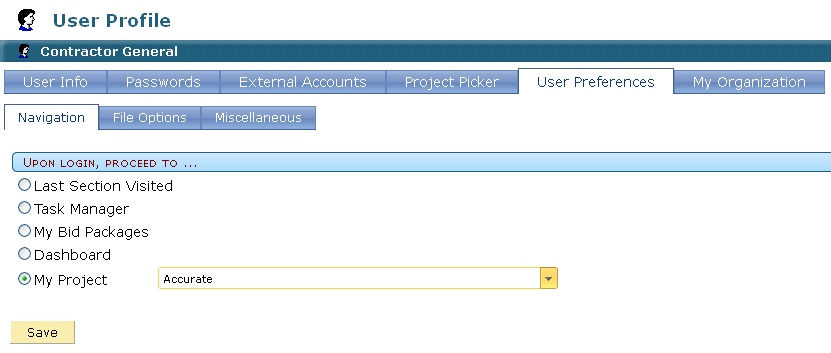
Navigation
Within this setting you can decide where the system starts you upon login.
A. Last Section Visited
When this is selected, every time you login, it will take you to the same place you were when you logged out. As an example; if you were working in submittals when you logged out, the next time you log in, you will be returned to submittals.
B. Task Manager
When this is selected, every time you login, it will take you to the Task Manager. This is a collection point for all items that have been sent or assigned to you.
C. My Bid Packages
When this is selected, every time you login, it will take you to the Bid Solicitation Page. This is
the preferred setting for estimators who have been receiving BID or RFP solicitations.
D. Dashboards
When this is selected, every time you login, it will take you to the Dashboard Module. This is the
preferred setting for project managers who take more of an overview role in a project.
E. My Project
When this is selected, every time you login, it will take you to the project you select and open it
up. If you have several project running and need to start each time in the same place, chose this
settings and select the project you want to start in every time you login.